Blender
The Blender is a machine located in the Badge Bearer's Guild. The machine's usage is to create consumable items from pre-existing items. However, the player is only able to craft one type of item at a time. There is a total of 20 different items that the machine can craft.
Crafting
The Blender interface when crafting an item.
Each item takes 5 minutes to craft and the timer only counts down when the player is in-game, unless they have an Offline Voucher, in which it will stay active for up to 24 hours after they log out. The player can end the crafting process at any time by clicking on the "End Crafting" button. This will give the player all finished items, and all unfinished items will be turned back into their ingredients and given back to the player. If the button is green, then everything has been blended. If not (red button), then the Blender has not finished blending. The player can also speed up the blending for a varying amount of Tickets. For every 1 item being crafted, the Blender requires 1 more ticket to speed up. Except for Moon Charms and Gumdrops, for which each ticket serves for speeding up whole 10 items.
| Ingredients | |
|---|---|
 10 Royal Jellies 10 Royal Jellies 50 Strawberries 50 Strawberries
| |
10 Royal Jellies 50 Blueberries 50 Blueberries
| |
10 Royal Jellies 50 Pineapples 50 Pineapples
| |
10 Royal Jellies 50 Sunflower Seeds 50 Sunflower Seeds
| |
10 Royal Jellies 50 Gumdrops 50 Gumdrops
| |
 10 Coconuts 10 Coconuts 2 Enzymes 2 Enzymes 2 Oils 2 Oils
| |
| 3 Pineapples3 Strawberries3 Blueberries
| |
| 1 Royal Jelly5 Pineapples5 Gumdrops
| |
 25 Moon Charms 25 Moon Charms 1 Magic Bean 1 Magic Bean
| |
100 Royal Jellies 3 Glitter 3 Glitter
| |
 3 Neonberries 3 Neonberries 3 Red Extracts 3 Red Extracts 3 Blue Extracts 3 Blue Extracts 3 Glues 3 Glues
| |
 5 Honeysuckles1 Oil1 Enzymes10 Royal Jellies 5 Honeysuckles1 Oil1 Enzymes10 Royal Jellies
| |
 3 Soft Waxes3 Enzymes 3 Soft Waxes3 Enzymes 33 Bitterberries33 Royal Jellies 33 Bitterberries33 Royal Jellies
| |
 3 Hard Waxes9 Soft Waxes 3 Hard Waxes9 Soft Waxes 6 Purple Potions3,333 Royal Jellies 6 Purple Potions3,333 Royal Jellies
| |
| 5 Hard Waxes5 Enzymes25 Neonberries5,252 Royal Jellies
| |
1 Soft Wax 1 Whirligig1 Red Extract1 Blue Extract 1 Whirligig1 Red Extract1 Blue Extract
| |
 3 Field Dice3 Soft Waxes3 Whirligigs3 Oils 3 Field Dice3 Soft Waxes3 Whirligigs3 Oils
| |
 3 Smooth Dice3 Hard Waxes3 Oils1 Glue 3 Smooth Dice3 Hard Waxes3 Oils1 Glue
| |
3 Neonberries 3 Star Jellies3 Purple Potions 3 Star Jellies3 Purple Potions 6 Tropical Drinks 6 Tropical Drinks
| |
 10 Super Smoothies 10 Super Smoothies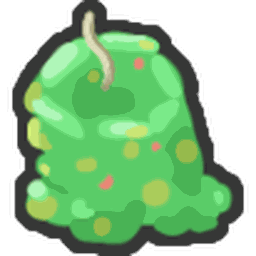 10 Caustic Waxes100 Star Jellies1,000 Honeysuckles 10 Caustic Waxes100 Star Jellies1,000 Honeysuckles
|
Trivia
- There is a Star Jelly token on top of the lid of the Blender. It can be obtained by repeatedly jumping on the handle with enough Jump Power or by standing on the gate to the Ace Badge section and gliding towards the top. Additionally, you may perform a difficult head-hitter to get it.
- If you select to craft something but not actually ‘blend’ it, when you leave the blender and open it up again, it would show that you would select the number of red extracts you want to craft, even if the amount displayed is above the amount you would be able to craft with your resources, though you won't be able to select the Confirm option.
- During the start of the Beesmas 2022, players could make progress for "collect items" quests through blender refunds; however, this was soon fixed.
- Crafting something that requires 2 or more strawberries will appear as [-n Strawberrys], being incorrectly spelt as the correct word should be strawberries.
There is a misspelling present when using enzymes for crafting.
Crafting something that requires enzymes will appear as [-n Enzymess], being incorrectly spelt with an extra s at the end. However, if you craft the enzymes themselves, the correct spelling will appear. * The message above the buttons while crafting appears differently if one has the Offline Voucher redeemed. If the player has the Offline Voucher redeemed, it will say: "You've redeemed the offline voucher! The blender will continue running for up to 24 hours while you are offline."